Efficient PDF merger with AI
AI PDF Merge Tool
Unify files seamlessly into a single, cohesive document while maintaining quality and formatting.
Overview
The PDF Merge Tool is an excellent tool that eases the sometimes headache-inducing process of merging multiple PDF files into one document. Whether you're managing your personal documents or a business with various reports, invoices, and forms, this tool is among the most fundamental tools for better-facilitating tasks. Merging several PDFs into one document can save you much trouble in workflow time.
Most of the time, merging PDFs comes with several benefits. Several reports can be combined into just one file to send and review. This is also the case when someone needs to create one document from various invoices. Such consolidation will make a difference in record-keeping and keeping track of finances. With the help of the PDF Merge Tool, you can arrange your files better; this, in turn, makes storing, organizing, and accessing important documents easier to do.
What is the PDF Merge Tool?
The PDF Merge Tool provides users with an easy way of merging any number of PDF files into one document. This tool may be helpful to any user or company looking to bind several PDFs, such as reports, invoices, and forms, into a single document.
The most fundamental role of the PDF Merge Tool is document management, as it reduces the number of files you have to manage independently. Instead of having multiple PDFs, you can merge them into a single file for easier storage, sharing, and reviewing.
It usually has various file-merging options, such as waiting for the user to drag and drop PDFs or picking them out of a file explorer. Some tools also allow you to arrange the pages in order before merging so that the final document meets your requirements.
Apart from the merge option, most of the PDF Merge Tools will integrate features such as file compression to reduce the size of the merged document and page selection to merge specific pages from every PDF.
Features of the AskYourPDF PDF Merge Tool
1. No Loss of Quality
You do not need to worry about quality issues using the AskYourPDF PDF Merge Tool. Be it pages from several different PDF documents, it retains the quality of the content initially available on those pages before merging. The process does not alter or distort anything, whether text or images, because its final output shall look as good as the combined single files.
2. Easy to Use
This tool is designed to be very easy and fast. You do not have to install more software or undergo complicated setup procedures. Drag and drop your PDFs onto the page, arrange them in the correct order if you want to merge multiple documents, and finally merge them with a couple of clicks. The user-friendly interface makes everything very rapid.
3. Supports your System
The PDF Merge Tool works on all major operating systems and browsers. There are no special system requirements, so that you can use it with any device with an internet connection. Open the tool in your browser, and you are ready for file merge.
4. No Installation Required
This tool does not require any software download or installation. The merge is done in the cloud, through the tool's servers, and hence, does not use your system's resources. It also ensures that hiccups in your device are minimized while using the tool.
5. Secure Merging of PDFs
This tool, therefore, keeps you safe about your privacy. The PDF Merge Tool only stores your files on its servers for a short time. After the merge is complete, it erases your files and the results right away from the server, so none of your data can be found, left behind, and read by unauthorized persons.
How to Use the PDF Merge Tool
Step 1: Upload PDF Files
Drag your PDF files from your computer directly onto the designated area on the website.
Alternatively, click on the box and choose the PDFs from your file explorer.
Step 2: Arrange Files
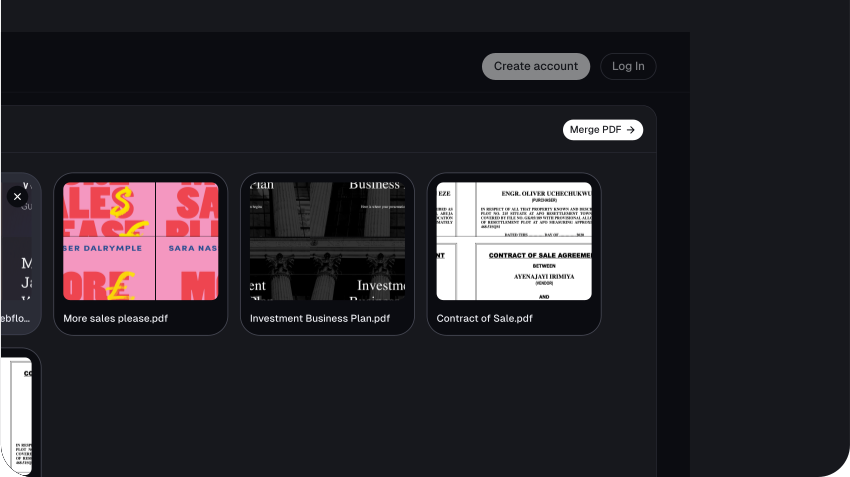
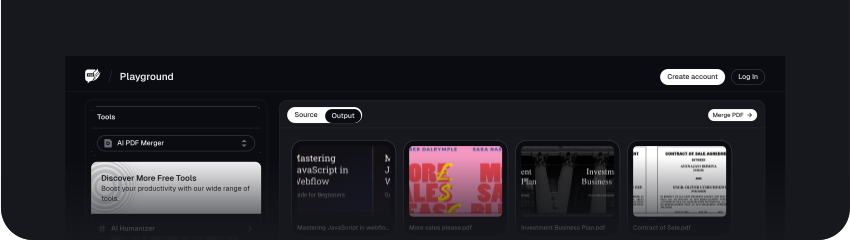
If you want to control the order in which the PDFs are merged, you can simply drag the files to rearrange them using drag-and-drop or the reorder buttons (Sort Asc and Sort Desc) at the top left corner.
From here, you can make any edit you want. Once satisfied, click on the copy icon at the top right corner of the output box to copy the generated big texts.

Step 3: Merge and Download
Once you’re satisfied with the order of the PDFs you want to merge, you can download the output.
Click the Save button at the top right corner of the screen to download the merged PDF result.
Benefits of Using the PDF Merge Tool
1. Efficiency
With the PDF Merge Tool, users can easily combine different PDF documents into one document, enhancing productivity. It saves you a lot of time since manual merging takes time, especially with several files in the queue. You can now compact all your documents into one with a few clicks, streamlining your workflow and giving you other things to do.
2. Quality
The tool ensures that the final, merged document is of high quality because it maintains the integrity of the put-together documents—text, image, and formatting. It also gives the final document a well-structured and professional appearance, which may be necessary when sharing or presenting the final file. Attention to such details helps develop compelling and fully polished final products.
3. Customization
One of the best things is that the PDF Merge Tool helps provide customization. You can order PDFs in the particular order you want them to appear and merge them in a file so that the final document is as you need. It is particularly flexible when creating documents that target a particular audience or are purposed towards a specific idea since the final product will meet all your requirements.
Conclusion
The PDF Merge Tool is invaluable in streamlining document management. It creates a high-efficiency level by merging several PDFs into one file, thus minimizing clutter and avoiding some hassle in handling many documents at a time. The tool, through its features, keeps the quality of the merged content intact and serves as a viable solution for personal and professional use due to its ease of use and versatility on different systems.
FAQs
Explore more related tools
Enhance your writing with these complementary tools.

List Randomiser
Our List Randomizer creates dynamic, randomized lists tailored to your needs.

Cursive Font Generator
Our Cursive Font Generator transforms ordinary text into beautifully flowing cursive.

PDF Splitter
Divide PDF documents into separate files, saving you time and streamlining your document management tasks.