Unique text styling with AI
Discord Font Generator
Our online tool creates unique text styles, adding a playful touch to your chat conversations.
Overview
The Discord Font Generator is an all-in-one tool that helps enhance communication over Discord. The main function it could maintain would be styling custom text, as it allows users to apply different fonts and effects to messages. This font generator makes it easier to personalize your text with the simple option to copy and paste text into Discord chats.
Having a wide variety of font types, like bold, italic, and other special styles, Discord Font Generator provides a chance for users to add a note of creativity and uniqueness to their conversations. The best thing amongst all these is that it is pretty easy to use, so you can easily change your text into whatever form you want for fun, emphasis, or personal flair.
What is the Discord Font Generator?
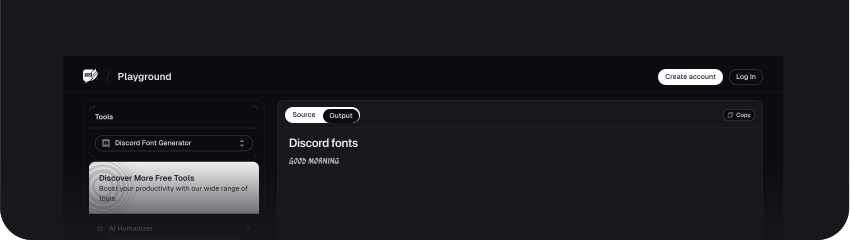
The Discord Font Generator creates custom text styles under the Discord platform. Its purpose is to help users create different fonts and text formats that they can easily copy and paste. This tool offers several font options, including bold, italic, and other unique text effects.
Users can use these to create style variations that make their messages personal and different in conversations. The generated text is not confined to the standard font; it may involve flowery and decorative elements to enhance the look of the text.
Benefits of Using the Discord Font Generator
1. Enhancing Readability
These various Discord font generators help improve the readability of your text with their style and size variations. You may also select a clear, readable font so that others will understand your message.
2. Expressing Personality
It provides alternatives to font styles for expressing one's personality. You may use different fonts or effects to express mood or theme, making messages personal and expressive.
3. Making Messages Stand Out
There are ways of making messages stand out in a busy chat, such as using distinctive fonts and styles to make them pop. Whether you want to highlight important information or add some fun flair, the Discord Font Generator will help make your text stand out.
How to Use the Discord Font Generator
Step 1: Enter Your Text
Type or paste the message you want to generate in a Discord font in the provided text box.
You could also click the Upload File button and upload the file you want to generate a Discord font.
Step 2: Generate the Discord Font
Scroll down and click the Generate Discord Font button to prompt the AskYourPDF Discord generator tool to help you generate the Discord font.
Step 3: Copy and Paste
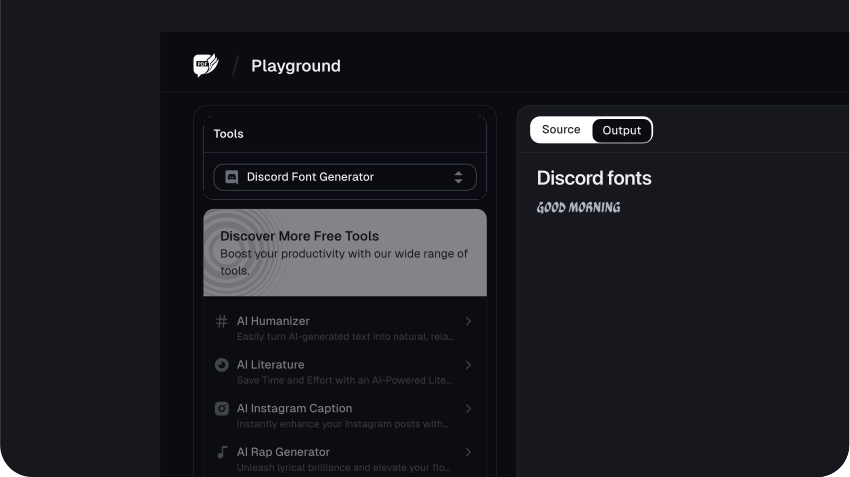
Once you are satisfied with the style, copy the generated text by clicking the Copy icon at the right corner of the text box. Then, paste it into your Discord message.
Use Cases of the Discord Font Generator
1. Customizing Text for Fun
You can even generate playful, creative text with the Discord Font Generator for friends to use in casual conversations. It makes chats more fun by giving your messages an artistic touch.
2. Highlighting Important Information
When you want to draw your audience's attention to vital information, special details, or announcements, you will want to use different fonts and font styles to make key points pop out. Using different fonts in a group chat to indicate an update or necessary instruction is easy.
3. Personalizing Profiles
You can change your profile bio or your status updates on Discord with special fonts. Custom text styles give some personal flair to your profile profile that tends to be more memorable and different from others.
4. Creating Eye-Catching Headers
The font styles can be used for discussions' organization and structuring by creating eye-catching headers. Section title or heading in bold font helps to present the content more effectively to the user; thus, navigation is also easier to perform.
5. Adding Artistic Touches
If one shares any content concerning a creative project, be it some art or a story. Different fonts may make the presentation more impressive and aesthetically appealing.
Conclusion
FAQs
Explore more related tools
Enhance your writing with these complementary tools.

List Randomiser
Our List Randomizer creates dynamic, randomized lists tailored to your needs.

Cursive Font Generator
Our Cursive Font Generator transforms ordinary text into beautifully flowing cursive.

PDF Splitter
Divide PDF documents into separate files, saving you time and streamlining your document management tasks.