Reliable OCR tool with AI
AI OCR Tool
Transform scanned or image-based PDFs into editable and searchable text with our AI powered OCR PDF Reader.
Overview
The OCR software is an effective technology developed to convert handwritten or printed documents of a varied nature into fully editable and searchable digital text. Therefore, it is a guarantee that, be it a scanned document, image, or photo, the OCR technology will be able to read the text from such sources and convert it into text that can be edited, copied, or searched quickly. It is a convenient tool that finds its application in a wide field of activity. It digitizes most of the physical documents, like books and reports, which otherwise would require plenty of space for storage.
OCR is also highly useful in extracting text from receipts, business cards, and forms, automating data entry tasks, and making documents more accessible. The benefits of using OCR technology are immense. It saves time by quickly converting physical documents into digital formats, hence limiting manual typing. The accuracy of the OCR tool is of high quality, ensuring that the converted text comes as close as it could get to the original content with minimal errors.
What is the OCR Tool?
The OCR (Optical Character Recognition) tool is a technology that can recognize written or printed images from different sources, scanned documents, or other photo types and transform them into machine-readable, editable, and searchable digital text. This tool reads the text from an image, recognizes the characters, and transforms them into digital text to edit, copy, or search.
OCR tools' applications range from digitizing printed books and documents to retrieving information from receipts or business cards, automated data entry, and making scanned documents searchable. With the help of OCR technology, users can quickly convert physical documents into digital ones without manually typing out the content. It saves a lot of time and minimizes the number of errors.
How to Use the OCR Tool
Step 1: Uploading Your Document
Click on the box, select the document or image you want to upload, and get the tool to convert.
You can also drag and drop the document or image to the box.
Do note that it only supports documents or images in PDF format.
Step 2: Converting the Document
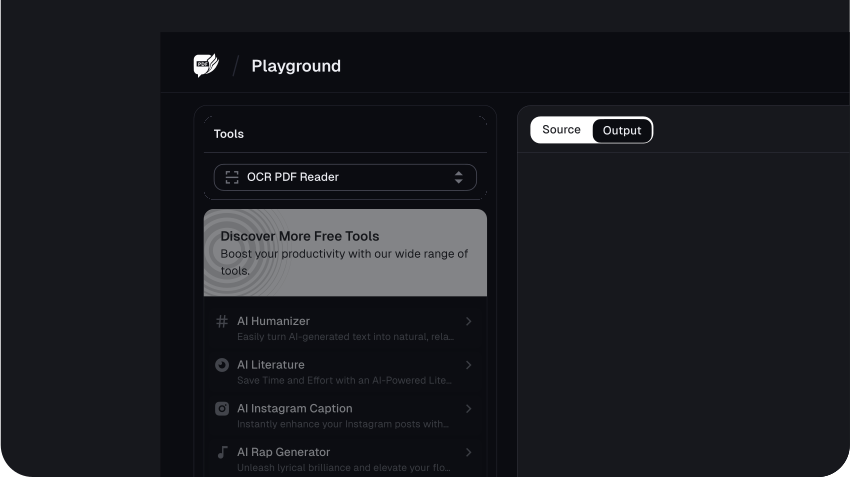
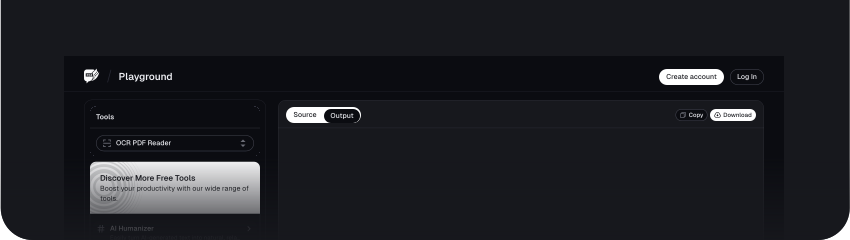
Once the conversion is complete, you will see a pop-up box informing you that the read was successful. Click on the Download OCR PDF button to save the editable text file.
Step 3: Downloading the Converted Text
Once the conversion is complete, you will see a pop-up box informing you that the read was successful. Click on the Download OCR PDF button to save the editable text file.
Benefits of Using the OCR Tool
1. Accuracy in Text Recognition
Advanced algorithms used in the OCR tool can accurately recognize text from pictures or scanned documents. It ensures that OCR minimizes errors while converting text. That means users have reliable digital text as per the actual document. Advanced OCR capability identifies a document containing various fonts, sizes, and styles, making the text conversion process more accurate and dependable.
2. Ease of Use
Yet among the strong points of OCR tools, others include the usability and simplicity of these programs' interfaces. Most OCR tools only require uploading the document and processing it with the tool, and you will find the ready text translated there. This easiness makes it accessible to a wide range of users, regardless of their technical background, to perform document conversions without any hassle.
3. Versatility
In fact, with OCR, it is easily possible for them to operate within several document types and formats: printed text, handwritten notes, photos, PDFs, and many more. They can be used in different file formats, such as image formats like JPEG or PNG, scanned documents, and digital photos. Hence, it converts nearly any document type to editable text, making OCR suitable for various applications.
4. Time-Saving
It saves time and is one of the biggest factors in OCR technology compared to manual data entry. Instead of manually typing tests from printed or handwritten documents, one can digitally obtain them with just a few clicks. Automating such tasks in data entry reduces a person's time; this time can be utilized to perform other essential activities.
5. Accessibility
Most importantly, it increases a document's accessibility by rendering it into an editable and searchable form of digital text. Editing, searching for specified information, or sharing over different platforms becomes easier in this way. These OCR tools help users manage their documents and find any document quickly. It makes your content accessible to the whole world and people with disabilities.
Use Cases of the OCR Tool
1. Document Digitization
OCR is commonly used to convert paper documents into digital documents, such as books, contracts, and invoices. It makes storing, organizing, and searching large volumes of documents much easier without manually rewriting the content.
2. Data Entry Automation
OCR is applied to extract text from printed forms, receipts, and other documents to help automate data entry. It reduces manual input of data entries, lessens errors, and speeds up processes relevant to finance, healthcare, and logistics industries.
3. Scanning Business Cards
This is the main motive behind why OCR is employed in businesses to scan business cards and save contact information in some digital address books or CRM systems in the wink of an eye. There is no need to re-type any contact details; thus, it saves time and effort.
4. Extracting Information from Invoices and Receipts
The wide applications of OCR in accounting and financial management include extracting information from invoices, bills, receipts, and more. It generally makes it easier for businesses to track expenses, manage accounts, and perform bookkeeping.
5. Improving Accessibility
More importantly, OCR technology can convert printed text into digital formats that screen readers can read aloud, thus opening documents to the visually impaired or those with problems reading text.
6. Archiving Historical Documents
Using OCR, libraries, museums, and archives digitize historical documents like newspapers and manuscripts. This way, old texts can be kept and made available online for research and other educational purposes.
7. Legal and Compliance Purposes
Therefore, OCR can help scan legal documents, contracts, and compliance forms to provide easy storage, retrieval, and searching of information by any law firm or business.
8. Text Translation
OCR tools can be paired with translation software to convert printed text from one language into another, making it easy to translate books, manuals, and other documents.
Conclusion
With the versatility of OCR tools, anything is possible, from printed books to handwritten notes or photos. The flexibility combined with ease of use makes it easy for any user to digitize and organize their content, irrespective of their technical background.
FAQs
Explore more related tools
Enhance your writing with these complementary tools.

AI Text Generator
Transform ideas into text effortlessly using AI Text Generator. Craft diverse, creative, and engaging content.

AI Paragraph Generator
Generate concise and coherent paragraphs, enhancing the clarity and impact of your content.

OCR PDF Reader
Transform scanned or image-based PDFs into editable and searchable text with our AI powered OCR PDF Reader.

Source Tool
Discover, analyse, and recommend sources of relevant to your needs.