Making text sound human, made easy with AI.
AI Humanizer Tool
Transform text into natural, human-like language with our free AI Humanizer Tool. Perfect for making content sound more authentic and relatable.
Make your AI content sound naturally human
Our Humanize feature transforms robotic text into engaging, authentic content that connects with your audience.
Overview
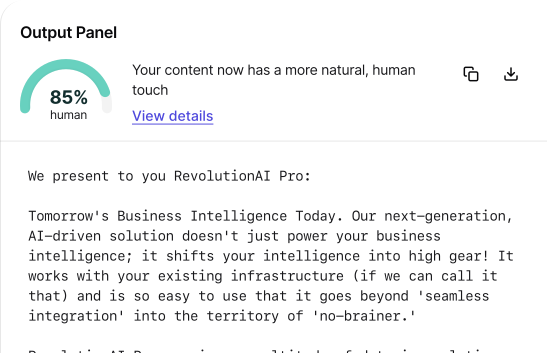
The AI Humanizer Tool bridges the gaps between mechanical, computer-generated text and natural, human-like writing. Its goal is to reorganize AI-created content into a more conversational and engagingly resonating format for readers. Powered by its advanced techniques, it changes the tone, phrasing, and structure, making the output more understandable, readable, and enjoyable.
But an AI Humanizer Tool goes beyond aesthetics into the heart of audience perception and levels of connectivity by making text sound more 'human.' It encourages user interaction and fosters trust—a realistic bond between the content and the audience. Whether customer service, marketing, or even causal communication, this tool is the heart of the most effective ways to make AI writing meet today's readers' expectations.
What is an AI Humanizer?
An AI Humanizer Tool makes computer-generated text sound more natural and 'human.' Usually, AI-written content sounds robotic or stiff because the structure gets caught up in rules. This tool helps fix that, making it sound more like a conversation-something a person would say or write.
It works by professionally modifying the tone, phrasing, and setting of text. For example, it includes minor changes in sentence length, more colloquial expressions, or contractions, such as "don't" instead of "do not." Such modifications make the text sound more soft; it does not sound mechanical.
The AI Humanizer Tool can improve content in many areas, such as customer service chatbots, marketing emails, or social media posts. It allows the AI to make writing more relatable and exciting to its readers or users.
Benefits of Using the AI Humanizer Tool
1. Improves Readability
One of the great benefits of utilizing this AI humanizer tool is improving text flow. It allows the script to sound much more conversational and helps ensure the content is easily read. It is helpful for content meant for everyday users since it does not allow the text to sound too formal or robotic.
2. Creates a More Engaging Experience
More humans mean more interesting. It is GPL. The minute things sound like humans wrote them, people are usually more inclined to read your content. It may be helpful with customer service-based content, social media, and sometimes blogs since those types of things succeed based on engagement.
3. Boosts Trust and Connection
Sometimes, AI sounds unnatural, thus making users feel disconnected or unsure about the content. Humanizing it helps build trust and a better relationship with the audience. In businesses, this could be very important, especially in customer communications.
4. Saves Time on Editing
It takes much time and labor to edit AI-generated texts to make them sound more natural. The AI Humanizer Tool does that job automatically, saving you time, assuring quality in whatever text you frame, and guaranteeing humanness. It reduces extensive revisions, hence increasing the speed of the content production process.
5. Adaptable to Different Tones
Other strong points of this tool are the ability to adapt to different tones or styles, which may be formal, friendly, or professional. This flexibility runs from accommodating the different audiences to the various purposes for which the content will be used.
How to Use the AI Humanizer Tool
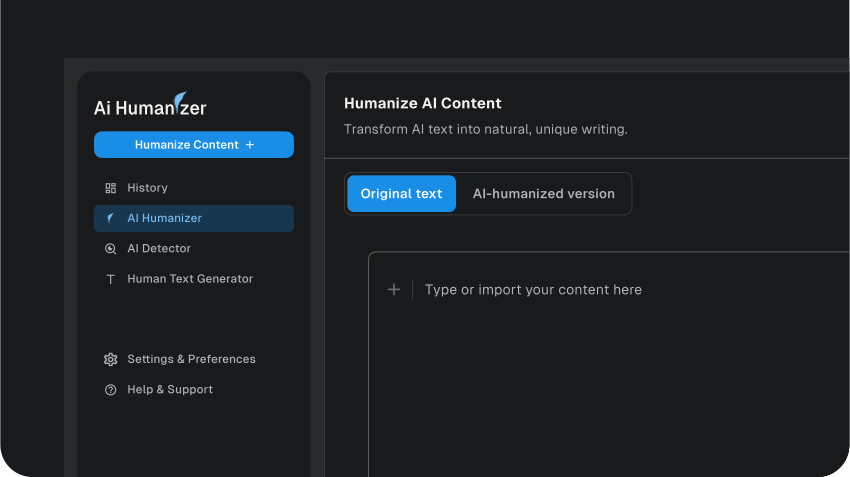
Step 1: Input Text
Enter or paste the text you want to humanize in the input text box provided.
The tool has a maximum word count cap of about 2000 words.
Step 2: Customizing the Settings
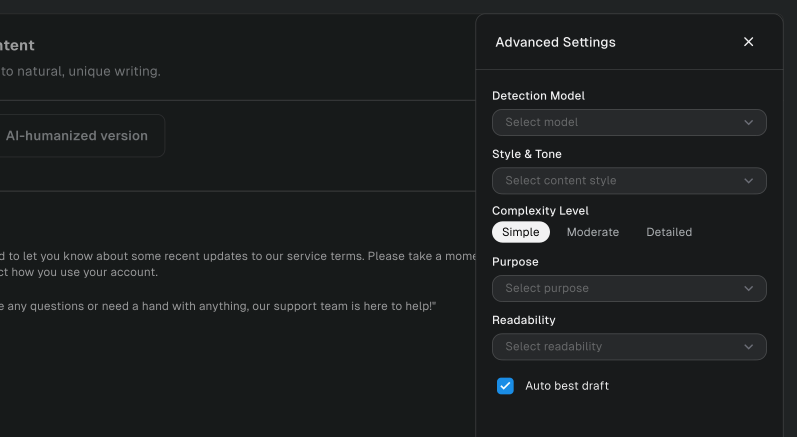
Once you've inputted or pasted the text you want to humanize, choose the Purpose of the text. From the options, click on General Writing.
After choosing the article's purpose, you'll have to select the intended Readability of the text. Under this option, choose University.
The next setting to choose is the Human Level. Under this setting, click on Balanced.
Step 3: Humanize the Text
After customizing the tool settings, click on the Humanize Content button.

Step 4: Review and Save
Wait a few minutes, and the tool will generate humanized versions of your text in the output box.
Our AI humanizer tool usually gives you over five humanized versions of your text to choose from. You can go through each version by clicking on the ← or → keys.
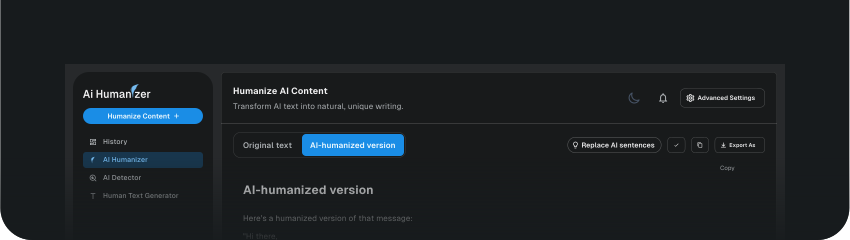
Once you've seen the one you're satisfied with, click on the Copy icon to copy the humanized text to the clipboard and paste it where you want to use it.
You can also click on the Export As button, which will open a pop-up box where you can select the preferred document format, such as PDF, DOCX, or DOC. Once you've made your choice, click on the Download button.
Use Cases of the AI Humanizer Tool
1. Customer Service Chatbots
Nowadays, it is common for businesses of all scales to reply to customers using AI chatbots. However, all these responses sound excessively formal or mechanical. It is very easy to overcome using the AI Humanizer Tool: it will enable companies to make the responses of chatbots sound more natural—almost conversational—so that customers can relate well and feel at ease during such conversations.
2. Email Marketing Campaigns
When sending marketing emails, the messages should be personal. AI Humanizer Tool can rephrase AI-written emails to make them sound less mechanical and more relatable to others. It can lead to better customer engagement and higher response rates since the recipients will find the content appealing.
4. Blog and Article Writing
Writing Others use AI to write blog posts and articles instantly. While this saves time, the writing does not sound natural. Putting the content through the AI Humanizer Tool enables the writers to make the text flow even better and sound much more human-like for the audience to read and engage.
5. Content for Voice Assistants
AI assistants interact with this artificially composed text, from Siri to Alexa. The AI Humanizer tool can make this more conversational without a trace of robotic feeling. The reason is that better interactions are preferred, and users prefer that the voice assistant speaks naturally.
6. Scripts for Virtual Assistants
Companies often employ virtual assistant services that may walk the customer through certain mundane activities. The AI Humanizer Tool allows this script from virtual assistants to sound more personal and friendly, making users follow these tutorials more easily and enhancing their overall experience.
Conclusion
The AI Humanizer Tool is a game-changing resource that vastly improves the quality and relatability of AI-generated content. It enhances readability, amplifies engagement, and enforces trust so writers and businesses can better connect with their audiences. It is proof of its versatility, as adaptability to tone and style finds application in customer service chatbots, marketing emails, and social media posts.
FAQs
Explore more related tools
Enhance your writing with these complementary tools.

AI Text Generator
Transform ideas into text effortlessly using AI Text Generator. Craft diverse, creative, and engaging content.

AI Paragraph Generator
Generate concise and coherent paragraphs, enhancing the clarity and impact of your content.

OCR PDF Reader
Transform scanned or image-based PDFs into editable and searchable text with our AI powered OCR PDF Reader.

Source Tool
Discover, analyse, and recommend sources of relevant to your needs.
3. Social Media Posts
By their very nature, social media posts are supposed to engage the follower, but sometimes, they can be a bit stiff or feel a little awkward. The AI Humanizer Tool will make all postings so much more person—like in tone, hence so much more involved with your followers. It means a lot to brands that know being personal to their audience is ideal.