Swift text reversal with AI
Reverse Text Generator Tool
Our tool swiftly reverses text, generating backward results for a playful and unique touch to your content.
Overview
The Reverse Text Generator Tool is a handy utility that instantly reverses text by merely flipping it backward. This tool finds broad applications in coding, designing, and connecting on social media sites. It will ease the process of reversing strings for a developer while writing the code and debugging.
Designers can use it to create special visual effects and text styles. Social network users can have some fun with their posts, which can be noticeable for their reverses. It's user-friendly and doesn't require technical skills. You can find it on AskYourPDF.com. It works across many devices and browsers, providing a seamless experience.
What is the Reverse Text Generator Tool?
A reverse text generator tool is a software application designed to change text into its reverse version. It means any text specified by the user gets flipped backward, with the last character becoming the first, the second last becoming the second, and everything else moving one position forward in that order.
Examples include reverting "Hello World" to "World Hello" or "dlroW olleH." This tool will be helpful in many applications: it could be used to do puzzles involving text manipulation, as practice exercises for programming, or just for fun. The tool automates this with text-based input and provides reversed output in record time, usually with one click.
Features of the Reverse Text Generator Tool
1. Ease of Use
The Reverse Text Generator Tool is designed to be as hassle-free as possible. Most applications have a plain interface where you only need to input your text in some input box. When you input the text, a button or command creates the reverse with the least effort. Advanced-level skills or technical knowledge are not required to operate this tool; hence, anyone can use it.
2. Instant Results
This tool provides results just in an instant. When you fill in your text and click on the tool, it instantly processes whatever input you have provided and presents the reversed text. This quick response is quite timely for users who need fast results rather than waiting or going through many steps.
3. Compatibility With Various Devices and Browsers
Generally, the Reverse Text Generator Tool works on most PCs and mobile browsers. Whatever device you have, be it a computer, tablet, or smartphone, you can work with this tool regardless of whether you use Chrome, Firefox, Safari, or any other browser. With this cross-OS feature, users can work without feeling any difference because of the distinct nature of their device or browser.
Benefits of Using the Reverse Text Generator Tool
1. For Developers
The Reverse Text Generator Tool is really helpful, mainly to the developers, as it aids them in easily reversing strings. Most of the coding and debugging involve string reversal; hence, with this tool, developers do not have to write any manual codes for that purpose but can instantly get the reverse of the string with this tool, thereby saving both time and minimizing any chance of errors.
It would be particularly useful in testing functions that perform string manipulation, encryption algorithms, or data processing. In addition, the application can be extended to generate test cases in programming scenarios requiring backward text handling.
| Use Cases for Developers |
|---|
| Testing string manipulation functions |
| Debugging code that involves reverse operations |
| Creating coding challenges and exercises |
| Experimenting with algorithms in data structures |
| Simplifying text processing tasks |
2. For Designers
The Reverse Text Generator Tool allows designers to be creative. Reversed text allows designers to create many interesting visual effects, design logos, or create layouts requiring different text styles.
The tool is very convenient for designers when trying various orientations and adding surprises to their designs. That is very helpful in projects where one needs to present the text unconventionally, like marketing materials, posters, or branding.
| Use Cases for Designers |
|---|
| Designing eye-catching logos |
| Creating mirrored or reflected text effects |
| Crafting unique typography for posters and flyers |
| Adding a playful element to graphic designs |
| Experimenting with reversed text in visual layouts |
How to Use the Reverse Text Generator Tool
Step 1: Enter Your Text
In the text box, type or paste the text you want the AskYourPDF reverse text generator to reverse.
You could also click the Upload File button to upload the file with the texts you want the tool to reverse.
Step 2: Generate Reversed Text
Once you’ve inputted or pasted your text or even uploaded the file with the text you want reversed, click the Reverse Text button to prompt the tool to generate the reversed text.
Step 3: Copy or Download the Reversed Text
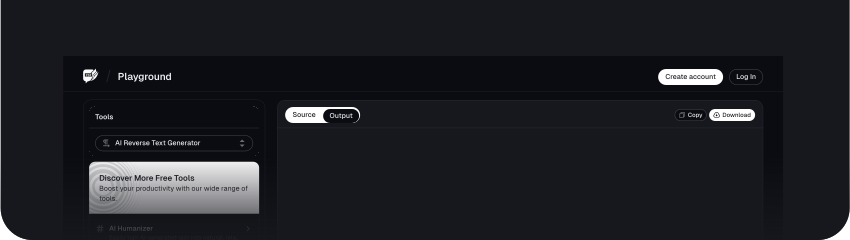
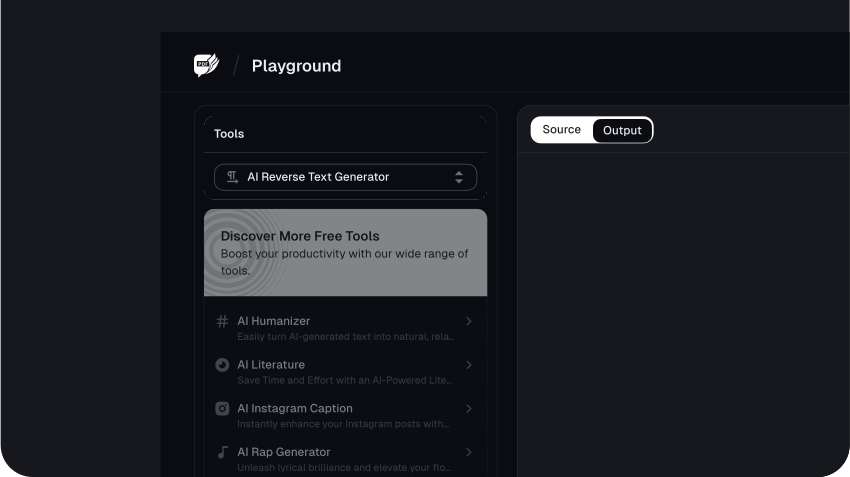
Once the reversed text is generated, click on the Copy icon at the top right corner of the text box to copy the reversed text to your clipboard.
Troubleshooting and Tips for Reverse Text Generator Tool
1. Text Does Not Reverse Properly
Sometimes, the text does not reverse as one would want. This may be caused by hidden special characters, some sort of formatting error, or extra spaces within the text.
Double-check your input; it should be plain text without hidden symbols, excessive spaces, or formatting issues. Clear special characters that may interfere with the reversal process.
2. Freezing of Tool/Tool Not Responding
This sometimes jams up or freezes the tool, mostly when there is too much input text or a poor internet connection.
To reduce the length of the input text, try breaking it into smaller pieces. You can also check the internet connectivity and refresh the tool.
3. Reversed Text Contains Undesirable Characters
If any characters in the output do not appear in the original input provided, this may be due to an issue with copy-pasting content or certain unsupported symbols.
Type the text by hand rather than copying from somewhere else, or use a simple text editor to clean up the input before passing it through the tool.
Optimization Tips for the Reverse Text Generator Tool
1. Use the tool in a noise-free environment
The tool should be used in a quiet place to avoid distractions that may cause errors. Thus, you can focus on the input and output to minimize errors.
2. Check the Output Thoroughly
Always review the reversed text thoroughly before reuse in professional or crucial documents. This ensures accuracy and avoids unintended blunders.
3. Clear Cache and Cookies for Better Results
Furthermore, frequently cleaning the browser cache and cookies will help improve performance and make the tool work smoother and faster. This is helpful if the tool starts to lag.
4. Use trusted and updated browsers
The Reverse Text Generator Tool works best in modern, fully supported browsers. Using an older or unsupported browser might cause glitches or a general lack of performance.
5. Play around with different lengths of text
Also, try reversing different text lengths and note how it handles them. Such practice gives you an idea of what the tool can/cannot do, enabling you to adjust the input appropriately.
Conclusion
FAQs
Explore more related tools
Enhance your writing with these complementary tools.

Stylish Text Generator
Instantly transform ordinary text into captivating, creative styles.

Weird Text Generator
Transform your text into weird and wonderful styles. Express yourself creatively.

Glitch Text Generator
Our tool lets you add a digital twist to your words and adjust the glitch craziness level for a unique effect.

Fancy Text Generator
Add unique symbols and icons for a touch of flair and individuality. Express yourself creatively.
3. For Social Media Users
Social media enthusiasts can utilize the Reverse Text Generator Tool to make their posts, comments, and messages stand out. Reversing texts can add a touch of fun, mystery, or even emphasis to online interactions, making the creation more interactive and attention-grabbing.
This could draw attention, create a virus of posts, or entertain friends and followers. It is also helpful for creating puzzles, secret messages, or even striking usernames on sites like Twitter, Instagram, or Facebook.