Effortless Case Conversion with AI
AI Case Converter
Convert text to uppercase, lowercase, title case, and more with the best free online case converter. Easily format your text for various purposes. Simplify your text formatting with our user-friendly case converter.
Overview
Case conversion is one of the most common needs when writing or editing any kind of content. The case converter is designed to make all of this much easier by providing a way through which you can convert the text into various formats—sentence case, lower case, upper case, and many more—with ease.
Be it for a professional document or presentation or simply cleaning up text for clarity, this tool will prove very useful. An effective text case change enhances the readability and presentation of your content and saves time and effort from productivity across different activities.
This article discusses the different types of text cases in general, their uses, and the benefits that come with using a Case Converter tool.
Types of Text Case
1. Sentence Case
Sentence case simply means capitalizing the first word at the beginning of a sentence or complete thought and leaving the rest in lowercase. This format is usually used in standard grammatical rules to ensure readability and clarity in everyday writing.
The sentence case makes a regular appearance in most prose articles and on every count of writing where standard grammar is followed.
Note: Names or places will not be capitalized.
Example
Original: this is an example of a sentence case.
Sentence Case: This is an example of a sentence case.
2. Lower Case
Lowercase text is mostly used in email addresses, URLs, and casual communication. In the design context, lower-case letters can be used to create a certain kind of visual effect or style.
Example
Original: This is an Example of Lower Case Text.
Lower Case: this is an example of lower case text.
3. Upper Case
Uppercase converts all the letters into their corresponding forms in the uppercase. This form is often used for emphasis or ease in identifying text, such as in headlines, warnings, or banners.
It can also be used for acronyms or abbreviations. Upper-case text tends to be perceived as shouting in digital communication, and full words should be used thoughtfully to avoid overuse.
Example
Original: This is an example of upper case text.
Upper Case: THIS IS AN EXAMPLE OF UPPER CASE TEXT.
4. Capitalize Case
Capitalize case involves capitalizing just the first letter of each word, except for small, unimportant words like "and," "the," "in," or "of" unless they are the first or last word in the phrase.
This is the most common style for titles, headings, and book titles. The purpose is to highlight key words in a title or heading; with this style, certain words help to draw the reader's attention to the text.
Example
Original: this is a capitalize case example.
Capitalize Case: This Is a Capitalize Case Example.
5. Alternating Case
Alternating case is a pattern of applying uppercase, lowercase, and so on to every letter in the text. This format starts with an uppercase letter and then follows it with a lowercase one, and so on.
It is often used for stylistic purposes, in creative writing, on social media, or to create a visual effect. The pattern is more fun and eye-catching that way, but it is less readable.
Example
Original: this is an example of alternating case.
Alternating Case: ThIs Is An AlTeRnAtInG CaSe ExAmPlE.
6. Title Case
Title case capitalizes major words in a title and the first word at the beginning, leaving all the minor words—prepositions, conjunctions, articles—in lowercase unless they are at the beginning or end of the title.
Title case is commonly utilized in the titles of books, articles, and formal documents. While rules may differ slightly according to style guides, the answer remains the same: highlighting important words and creating a formal look.
Example
Original: this is a title case example for a book.
Title Case: This Is a Title Case Example for a Book.
7. Inverse Case
The inverse case reverses the case of each letter in the text. All the uppercase letters are changed to lowercase, and all the lowercase letters are transformed into uppercase.
The aforementioned format is also used to achieve stylistic effects or to create graphic contrast. It is rarely used in simple writing, though it can be applied in certain design cases or only in highlighting some text creatively.
Example
Original: This is an example of inverse case.
Inverse Case: tHIS IS AN EXAMPLE OF INVERSE CASE.
8. Camel Case
Camel case is a text format where the first letter of each word is capitalized, except for the very first word. This style is commonly used in programming and web development for variable names and functions due to increased readability without spaces.
Example
Original: this is an example of camel case.
Camel Case: thisIsAnExampleOfCamelCase
9. Pascal Case
Pascal case is almost similar to camel case, but in this format, everything starting from the first letter of every word, including the first word itself, needs to be capitalized. It finds a lot of usage in programming, mainly with languages like Delphi and some naming conventions in other programming languages.
Example
Original: this is an example of pascal case.
Pascal Case: ThisIsAnExampleOfPascalCase
10. Snake Case
Snake case is one of the formats where words are separated by underscores and all letters are in lowercase. It has been used many times in programming and naming conventions of databases because it makes sure uniformity or readability among different platforms is maintained.
Example
Original: this is an example of snake case.
Snake Case: this_is_an_example_of_snake_case
11. Kebab Case
Kebab case is another variation of snake case, using hyphens instead of underscores to separate the words. This format is in use daily in URLs and in some languages to enhance readability and retain the consistency of naming structure.
Example
Original: this is an example of kebab case.
Kebab Case: this-is-an-example-of-kebab-case
Benefits of Using a Case Converter
1. Ease of Use
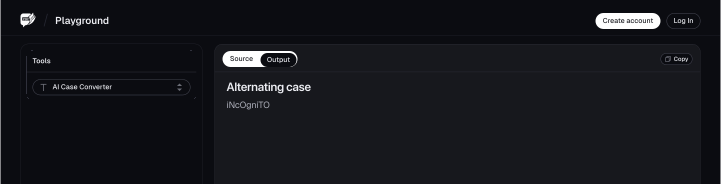
One of the greatest advantages of a case converter tool is that it is very easy to use. You can handle it without being technically proficient. You just copy your text, paste it in the tool, and select the type of case format you want. That's it. The tool is user-friendly, so it is usable by everyone, regardless of their level and extent of computer literacy.
You just copy your text, paste it in the tool, and select the type of case format you want. That's it. The tool is user-friendly, so it is usable by everyone, regardless of their level and extent of computer literacy.
2. Time-saving
Doing this manually in a document can be very tiresome and time-consuming, mostly when dealing with a long document. A case converter performs this function at fantastic speed.
It will transform all those letters in the blink of an eye; otherwise, you would do it one at a time. This efficiency is noteworthy for professionals and students who need to format text quickly and move on to other essential tasks.
3. Versatility
It gives options ranging from case conversion to upper case, lower case, title case, sentence case, or even alternating case. This versatility allows one to format his or her text in several ways depending on the context.
For example, you would want to use a title case for headlines and a sentence case for regular text, while uppercase will draw attention to certain points. This tool's most useful feature for a wide range of applications is having all these options in one place.
4. Accuracy
Another major advantage of this tool concerns the accuracy of its operations. When changing cases manually in text, a letter can be missed or a word wrongfully capitalized.
A case converter tool will ensure that this entire text is converted without any errors. This precision becomes vital, especially in professional and academic settings where proper formatting is important.
How to Use the Case Converter
Step 1: Input the Text
To get started, instruct the tool on what you want it to convert the text to.
Afterwards, you can type or paste your content, and you need to work on the text cases in the box. You can also choose to upload a file from your device.
Step 2: Convert Your Text
Once you've pasted your text or uploaded your file, the next step is to prompt the tool to convert the case of your text.
Click on the “Convert Case” button.

Step 3: Review and Copy
The tool will generate the converted copy of your text. If you don't see the converted copy, don't panic. All you need to do is highlight all the text in the box and delete it. Once you do that, you'll see the converted copy of your text.
With this, click on the copy icon at the top right corner of your screen. You can paste this on a word document and edit it as you deem fit.

Conclusion
FAQs
Explore more related tools
Enhance your writing with these complementary tools.

Podcast Script Generator
Our generator helps outline engaging content, ensuring a seamless flow for your next audio masterpiece.

Word Counter
Get exact word counts for articles, essays, and assignments, ensuring precision in your writing.

Character Counter
Our tool counts characters effortlessly, helping you meet constraints and refine your content with accuracy.

Big Text Generator
Amplify your message with our Big Text Generator Tool, the simplest way to create eye-catching, large text