
I Tested the Best AI Tools for Financial Analysis (2025 Review)
Tested 5 top AI tools for financial analysis tosee which ones truly help with forecasting, budgeting, and stock insights for pros and teams.

Recently, on LinkedIn, I saw someone manually reviewing pages of financial statements to compare the quarterly numbers of a few companies. I shook my head, not because the work wasn’t valid, but because I’d been there. And I know how draining it can be.
There are AI tools that can perform the same task in minutes with greater accuracy. That’s the difference.
In this line of work, knowing how to use the right tools is what separates those who get hired from those who get left behind.
So, I decided to test a range of the best AI tools for financial analysis, including the good, the bad, and the overhyped.
If you’re in finance or just trying to work smarter, this is for you.
Quick Look at the Best AI Financial Analysis Tools
| Tool | Best for | Ideal user | Key features |
| Datarails | Budgeting, financial reporting, and forecasting automation | CFOs and finance teams in SMEs | AI forecasting, variance analysis, and seamlessly integrates in Excel |
| AlphaSense | Market research, earnings analysis, and real-time financial insights | Financial analysts, researchers, and investors | Sentiment tracking, AI summaries, and semantic document search |
| Kavout | Stock ranking, investment screening, and smart portfolio picks | Investors and portfolio managers | Kai Score, predictive analytics, stock screening |
| Prevedere | Big-picture forecasting and risk analysis using external trends | Enterprise teams, financial planners, and strategists | External data forecasting, scenario modeling, and macroeconomic integration |
| Gridlex Zip | Automating accounting tasks and managing finances without hiring a full team | Startups and small businesses | AI accounting, billing automation, dashboards, CRM integration |
Why Trust This Review?
I work as an executive assistant to a financial analyst. The majority of the tasks I work on at work rely on using software that can 10x my productivity.
You will find that each tool has its category, its best features, its ideal user, and all the details you need to know before using it. This guide is based on:
- Each tool in this guide was personally tested over several weeks to evaluate its performance in real-world financial analysis tasks, not just on paper.
- I assessed how easy each tool is to use—from setup to execution. The goal was to see if anyone, from solo professionals to finance teams, could navigate the features without frustration.
Top 5 AI Tools for Financial Analysis
Whether you're an investor, a financial analyst, or a business owner trying to make sense of your numbers, the right AI tool can make all the difference:
1. Datarails

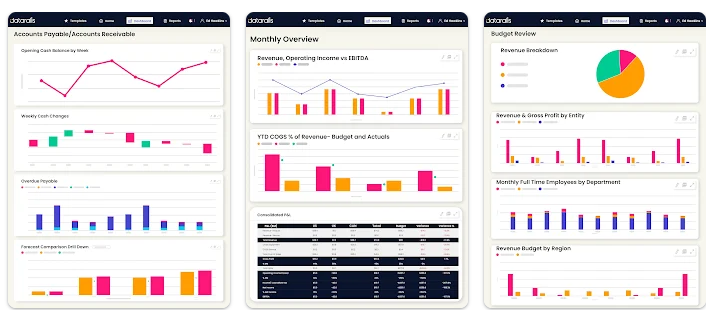
Datarails stands out because it works with your existing Excel files.
You don’t need to rebuild your spreadsheets. It simply connects, pulls in your data, and automates tasks like forecasting and reporting. It’s a seamless upgrade for finance teams that already rely on spreadsheets on a daily basis.
What this tool is best for
Datarails is an excellent option for small or mid-sized financial teams and even financial officers who are looking to automate budgeting, financial reporting, and variance analysis without having to leave the Excel spreadsheet. Datarails pairs accurate forecasting with the comfort of spreadsheets.
Key Features:
- AI-powered variance analysis that detects financial anomalies automatically
- Forecasting that allows you to create hypothetical scenarios using historical data
- Fast automated financial reports from balance sheets to profit and loss statements
- Excel-native interface: works directly inside Excel, so you don’t have to learn a new platform.
Ease of use and learning curve
With the Excel-native interface that allows you to work directly inside Excel, DataRails has a virtually flat learning curve for basic functions and a speedy onboarding rate. The app features in-app guidance, and the setup is remarkably smooth.
If you're new to financial modeling and analysis, it might take some time to learn how to use the forecasting and dashboarding tools, but it won't be anything that would overwhelm you. The interface is also well-rebuilt, logically arranged, and easy to work with.
Pricing and access
They don't have a free version or a public pricing page; however, when I tried it out, I was offered a custom quote starting from $250 a month for small teams.
They also provide a demo and free walkthrough on request. Pricing will be determined by team size and selected features.
Pros and cons
| PROS | CONS |
| Accurate forecasts with minimal input | No free plan |
| Time-saving automated reporting | Can be a bit expensive for solo professionals and small businesses |
| Easily integrates Excel spreadsheets | Designed for enterprise, not ideal for casual users |
2. AlphaSense

AlphaSense stands out due to its ability to quickly extract insights from massive volumes of financial data and market reports. It uses AI to highlight exactly what you need instantly. It’s a significant time-saver for anyone conducting in-depth research or trend analysis.
What this tool is best for
This is ideal for researchers, financial analysts, and investment professionals who require intelligent and rapid access to market data, financial documents, and company reports.
If you regularly work with investor reports, earnings calls, and SEC filings, then this tool would change your workflow entirely.
Key features:
- AI-powered document search with semantic understanding (not just keyword matching)
- Smart and quick summaries of long financial documents
- Real-time alerts on companies, sectors, or keywords
- Sentiment analysis on earnings calls and reports
Ease of use
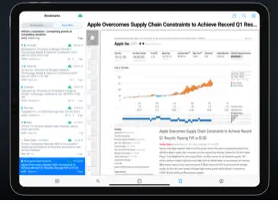
If you are familiar with platforms like FactSet and Bloomberg, this is modern and intuitive. It's easy to navigate once you get a feel of its search system.
The dashboard is clean, and you won't struggle to set up alerts or track terms due to its speed. With AlphaSense, you just have to guide the AI on what you want to do. It does most of the heavy lifting.
Pricing and access
There's no free plan, and the pricing is quote-based. I gained access through a demo for analysts.
However, according to industry reports, AlphaSense typically costs between $100 and $500 per month, depending on your data needs and access levels. With its pricing and use, it's a better option for institutions or serious professionals.
Pros and cons
| PROS | CONS |
| Super accurate semantic search | No free plan or trial |
| Saves hours of manual reading | Expensive for casual or early-stage users |
| Great for staying ahead of news and trends | Mainly for research, not budgeting or modeling |
3. Kavout
What makes Kavout unique is its ability to score and rank stocks using AI — not just data. Its Kai Score (a machine learning-powered stock rating) is applicable when you're trying to spot undervalued or high-potential stocks quickly. While other tools give you raw numbers, Kavout gives you signals you can act on.
What this tool is best for
Kavout is best for investors, analysts, and portfolio managers who need AI-backed insights to evaluate and rank stocks.
If you're constantly comparing company stocks or trying to filter larger assets to know the best stocks, then Kavout will give you a faster head start.
Key features:
- Kai Score: AI-driven stock rating based on financials, sentiment, and technicals
- Predictive analytics for stock performance
- AI-powered screening tools to discover investment opportunities
- Data visualization tools to track trends and stock health
Ease of use and learning curve
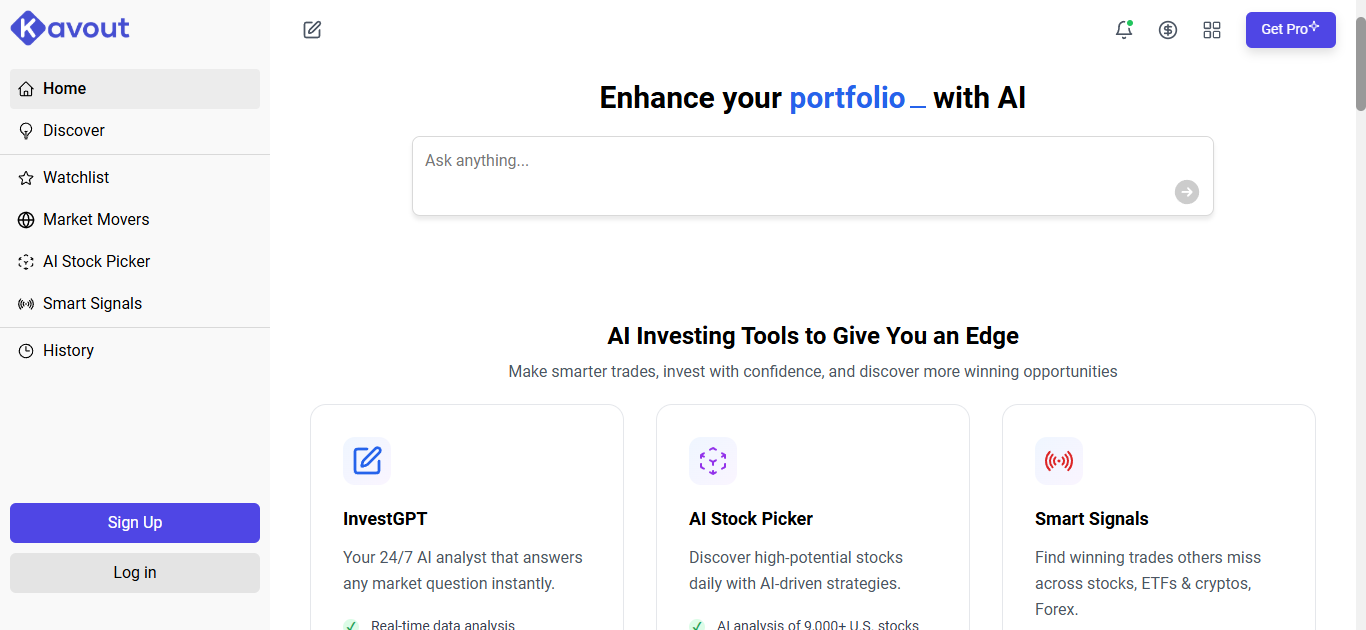
The platform is straightforward and designed for users who already have some investing experience and understand basic financial terms.
The platform is intuitive, but if you ever get stuck or need help, tutorials and support content are available to guide you through the platform. The dashboard also makes exploring stock trends a smooth process.
Pricing and access
Kavout offers a free account, but only with limited access to Kai score and some basic tools.
For premium features such as predictive modeling, stock coverage, and deeper analytics, the pricing starts at $49 per month, based on my testing. For institutions or professionals with pro-level access, enterprise plans are available upon request.
Pros and Cons
| PROS | CONS |
| Kai Score is fast and helpful in screening stocks | More geared toward stock evaluation, not budgeting or reporting |
| Affordable entry-level plan | A free version is minimal |
| Clean visuals and trend tracking | It is not ideal for users who need broader financial planning tools |
4. Prevedere (Acquired by Board)
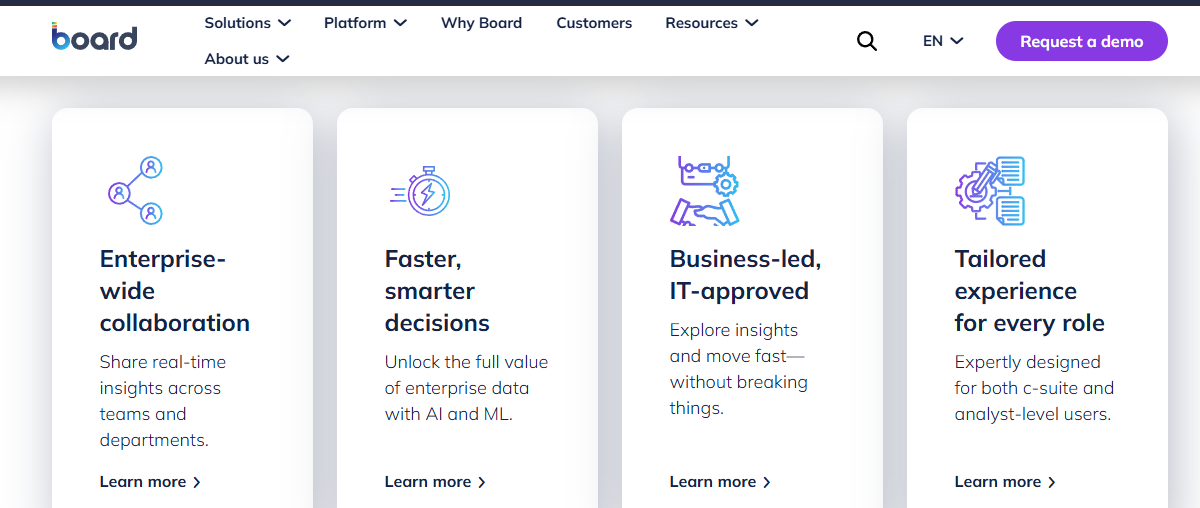
What sets Prevedere apart is its ability to combine your internal company data with external economic indicators to forecast performance.
While most tools focus solely on what's happening inside your business, Prevedere incorporates market trends, inflation data, consumer behavior, and more, providing a broader and smarter outlook.
What this tool is best for
This is best if you’re looking for a go-to solution for enterprises, financial planners, or strategic teams that need to factor in external risks and trends.
This way, when projecting business outcomes, you have a much broader and more realistic lens rather than relying on forecasts based on internal numbers.
Key features:
- External data integration with macroeconomic indicators
- Predictive models tailored to your company and industry
- AI-driven risk forecasting and scenario planning
- Economic monitoring dashboards for tracking live trends
Ease of use and learning curve
It is enterprise-focused, offering more complex yet superior tools compared to Kavout or AlphaSense. You would need an onboarding session to become accustomed to it, but after that, it becomes easy to understand and navigate.
You need to be accustomed and familiar with financial models and forecasting tools to adapt quickly, so it's not the best tool for beginners. The support team is strong, and you often have an assisted setup to work with.
Pricing and access
Prevedere doesn't offer a free plan or self-signup model. The pricing is strictly custom and quote-based, depending on the size of your business and the data you need access to.
When I tested the platform through a business demo, the pricing started at $1,200 per month for mid-sized teams, so it's clear that this is aimed at serious business users.
Pros and Cons
| PROS | CONS |
| Exceptional at merging external + internal data | No free plan or trial |
| Predictive insights are industry-specific and reliable | Expensive and mainly for enterprises |
| Ideal for long-term planning and forecasting |
5. Gridlex Zip
Gridlex Zip is a go-to solution for startups, small businesses, and finance teams that want a hands-off approach to managing accounting, invoicing, and reporting.
If you want AI to help you stay on top of finances without micromanaging every entry, this is a solid choice.
What this tool is best for
This is a tool ideal for small firms and businesses that want to maintain control over their finances without hiring a full-time team.
Gridlex Zip doesn't just offer financial insight; it functions like a comprehensive finance department, handling everything from budgeting to forecasting.
It achieves this by combining AI with accounting automation to handle billing, expense tracking, reporting, and more.
With Gridlex, you have a complete financial assistant.
Key features:
- Automated billing and invoicing with smart reminders
- AI-powered expense categorization and reconciliation
- Real-time financial dashboards
- Built-in CRM + HR integrations for unified operations
Ease of use and learning curve
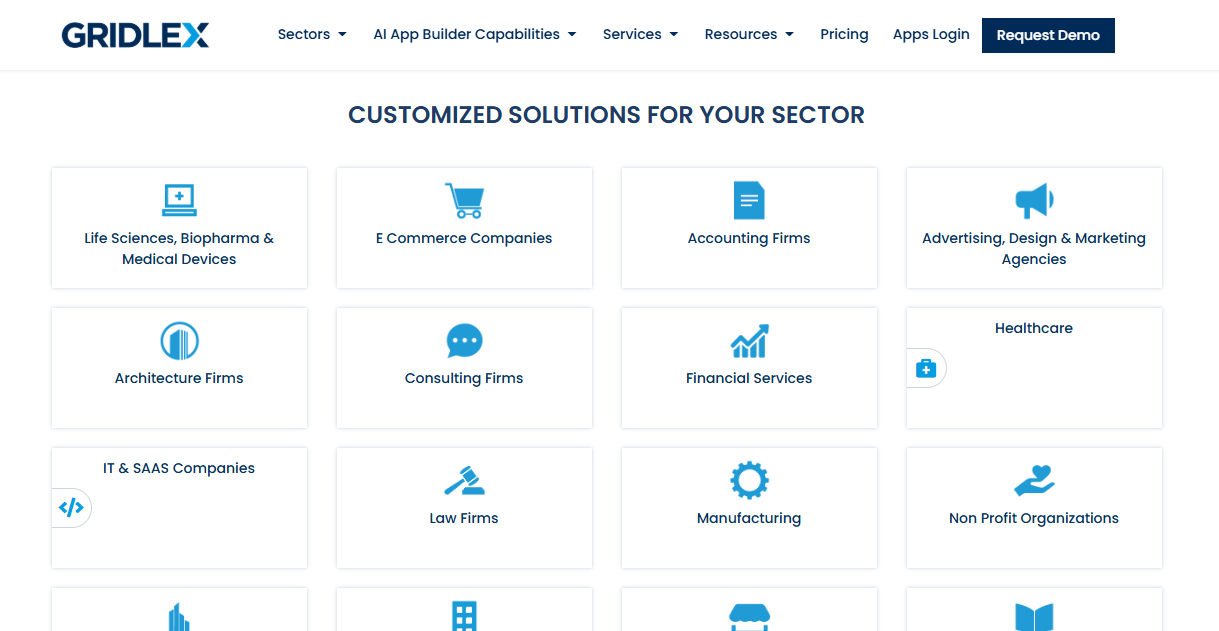
You'd find that Gridlex Zip is very beginner-friendly, especially for business owners who don't have a very deep financial background. The dashboard is clean, the setup is fast, and everything is clearly labeled.
While it may take you a few minutes to become familiar with the entire categorization, there is minimal stress associated with this platform, and you'll find that it works well as an all-in-one solution without requiring any third-party apps.
Pricing and access
Gridlex Zip offers a free plan, providing access to basic billing and accounting tools.
However, for more advanced features, based on my testing, the cost starts at $35 per month, offering complete dashboard insights, CRM integration, and multi-user access. When compared to other tools in its class, it's generally very accessible.
Pros and cons
| PROS | CONS |
| Great for small teams with no accounting staff | Not ideal for advanced financial forecasting |
| Affordable and straightforward to use | May be too basic for large enterprises |
| All-in-one tool — carries out many tasks | CRM and HR features might feel unnecessary for finance-only users |
Bringing It All Together with AskYourPDF
Whether you're diving into financial forecasting or trying to streamline your accounting tasks, AI-powered tools are changing the game very fast.
However, as powerful as these tools are, working with complex documents and large datasets, such as financial reports and investor memos, can be very overwhelming. That's where AskyourPDF.com comes in.
They offer you the best AI tools that allow you to upload, summarize, interact with, and analyze any PDF, whether it's a financial statement, a school report, or a product manual.
Instead of spending hours trying to comb through files and reading through them, you can ask direct questions and extract insights or get instant summaries, not just based on keywords but based on meaning and context awareness, all in a few seconds.
Using advanced AI tools to analyze your finances, you need an even smarter way to work with all the documents that come with it.